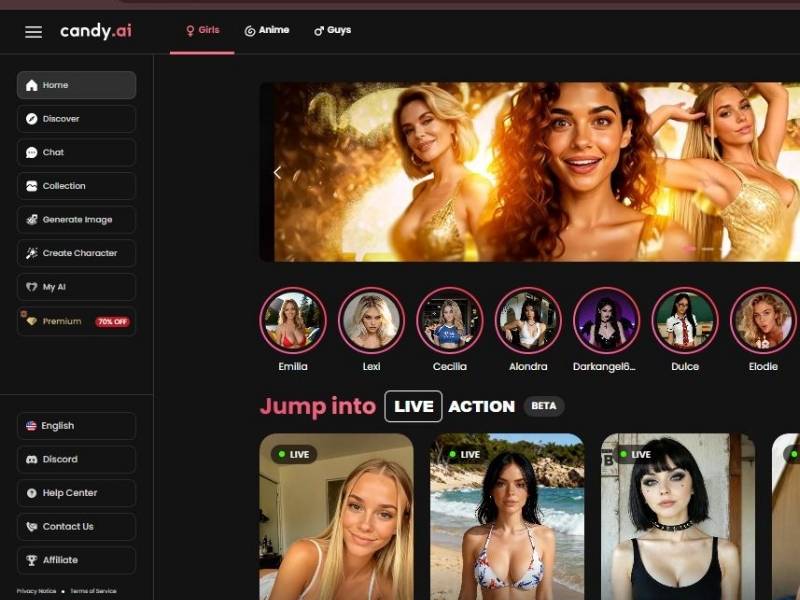
Let’s be up front about this: when you’re checking out NSFW picture generation on Candy AI, you’re not just aimlessly staring at a pretty picture generator.
You’re jumping into an entire virtual companion world of chat, character creation and visual stuff – yes, including adult-themed output if that’s what you desire.
Imagine this: You create a character, you fill the character with quirks and personality, and then you get an AI to visualize that – have the tool spit out images of what you described. In theory, it’s a playground for the imagination.
But what’s juicy (and where the plan can go awry) is this next line.
Candy AI Image Generator: Detailed user guide
Step 1 – Accessing the Image Generation Workspace
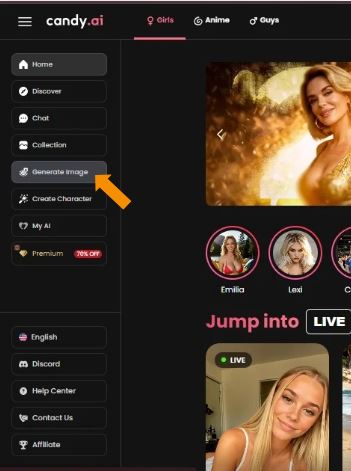
This is the main dashboard of the platform.
Use the left-hand navigation panel to locate and click Generate Image.
Key elements visible:
- Home, Discover, Chat, Collection
- Generate Image and Create Character sections
- Category filters (Girls / Anime / Guys)
- Premium upgrade banner
This is the starting point for creating an AI girlfriend.
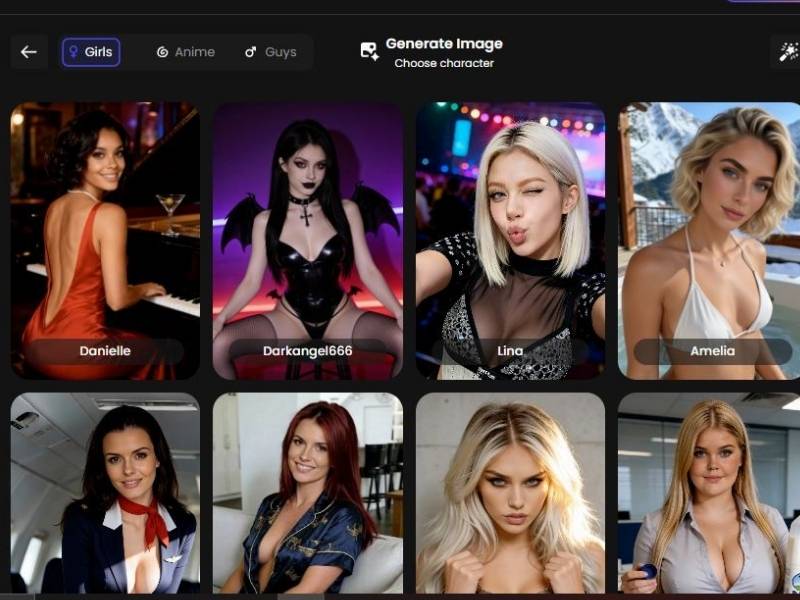
Step 2 – Selecting an AI Character
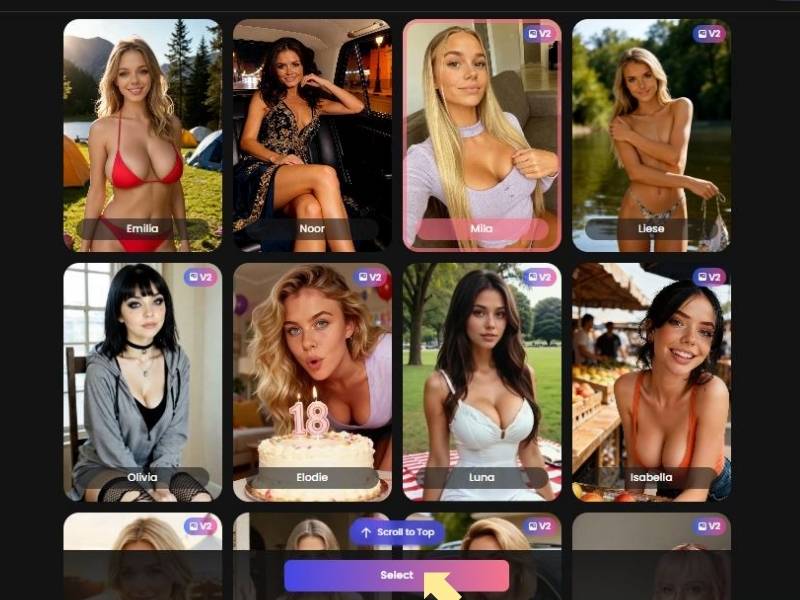
You are presented with a gallery of AI-generated female characters.
- Each character includes a name and preview image
- Some characters are labeled V2, indicating an upgraded model
- Select one character to proceed
This chosen character becomes your AI girlfriend for image creation.
Step 3: Selecting an AI Outfit
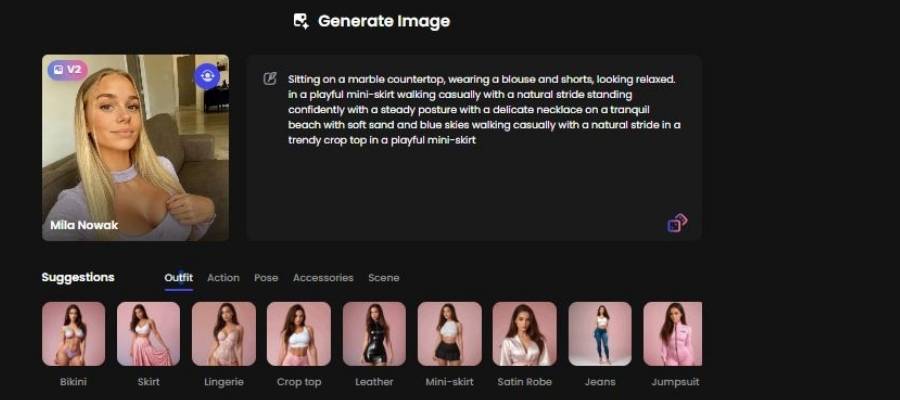
Click one outfit card (e.g., Mini-skirt).
Avoid clicking multiple outfit cards unless you intentionally want mixed clothing styles.
Check the prompt box
After clicking an outfit, look at the prompt text above.
Confirm the outfit description matches your intention.
If the prompt already mentions another outfit (as shown in the image), delete or edit conflicting clothing text.
Example issue in the image:
The prompt mentions blouse and shorts, mini-skirt, and crop top together.
This can confuse the generator.
Step 4 – Defining the Character’s Activity
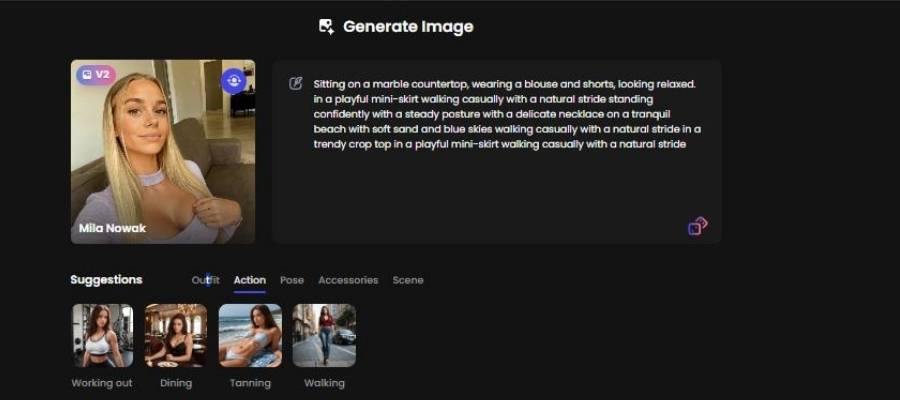
In this step, you specify what the AI girlfriend is doing.
Available actions include:
- Working out
- Dining
- Tanning
- Walking
The selected action influences body movement, posture, and realism.
Step 5 – Choosing a Body Pose
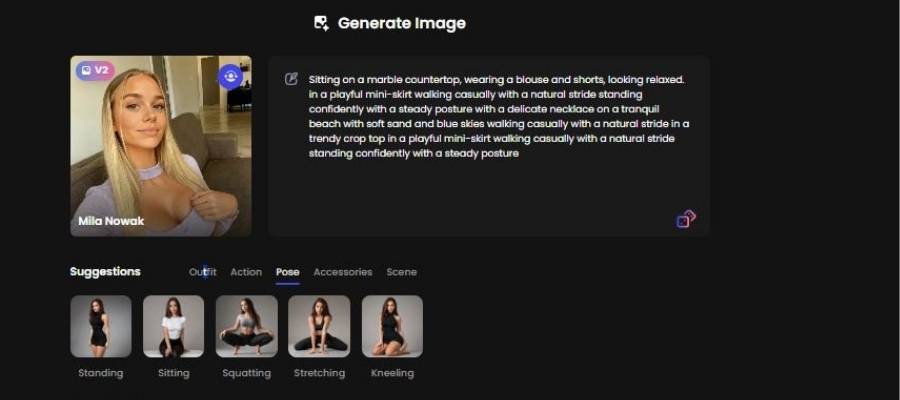
This section allows you to control how the character is positioned.
Available poses include:
- Standing
- Sitting
- Squatting
- Stretching
- Kneeling
Pose selection affects framing, body language, and image tone.
Step 6 – Adding Visual Accessories
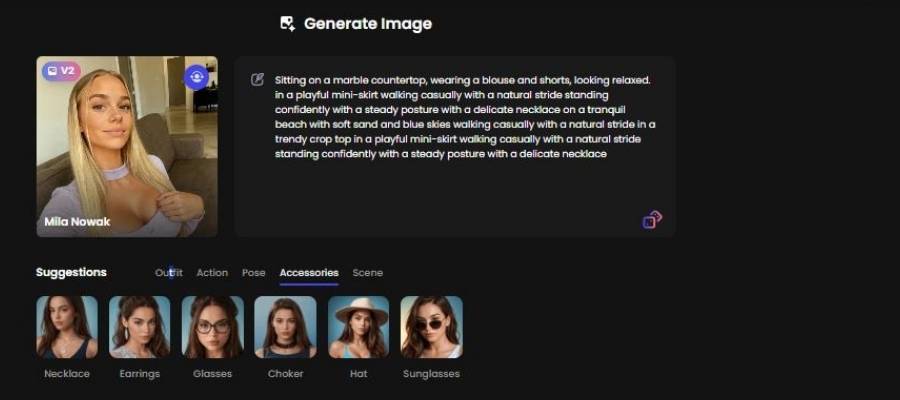
Here you enhance the character’s appearance with optional accessories.
Available items include:
- Necklace
- Earrings
- Glasses
- Choker
- Hat
- Sunglasses
Accessories provide subtle customization without altering clothing.
Step 7 – Selecting the Environmental Setting
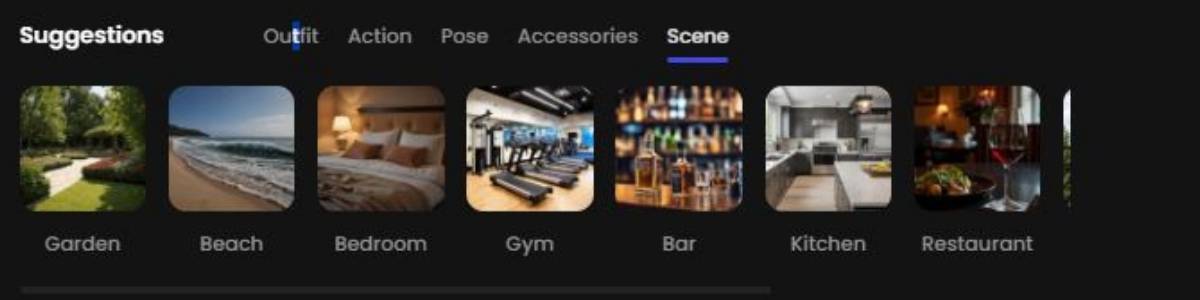
This step defines the background and atmosphere of the image.
Scene options include:
- Garden
- Beach
- Bedroom
- Gym
- Bar
- Kitchen
- Restaurant
- Balcony
- Bathtub
The environment influences lighting, mood, and overall aesthetic.
Step 8 – Setting the Number of Generated Images
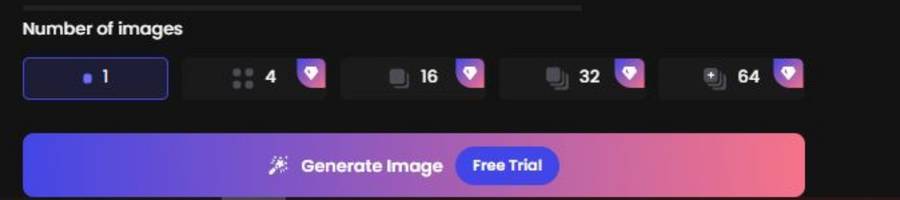
Choose how many images you want the system to generate.
Available quantities:
- 1 image (often available as a free trial)
- 4 images
- 16 images
- 32 images
- 64 images
Higher quantities provide more variation but may require credits.
Step 9 – Generating and Viewing Results
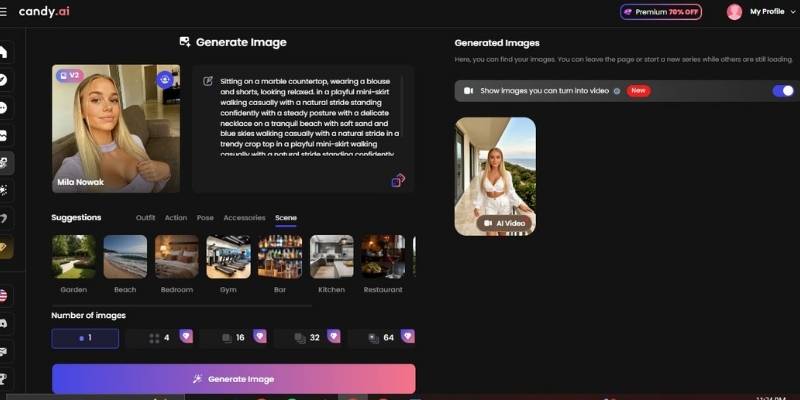
Click Generate Image to start the process.
- Generated images appear in the preview panel
- Images can be saved or reused
- A video conversion option may be available
Your AI girlfriend image is now fully generated and ready for use.
This table sums up the core nuts and bolts without sugar-coating:
| Feature | What You Get | Notes |
| Character-based Images | Generate pictures of AI characters you pick/create | Candy AI isn’t for landscapes or logos – its focus is people-like visuals tied to your character choices. |
| Realistic & Anime Styles | You can choose more than one visual vibe | Not locked to one aesthetic – gives creative latitude. |
| NSFW-Friendly Generation | Tool supports adult-oriented image requests | Third-party reviews call it NSFW-friendly (with moderation and limits). |
| Token-Gated Outputs | Images typically cost tokens even with free account | A free account might let you generate one image only before tokens kick in. |
| Chat + Image Loop | Characters can chat with you and generate visuals | You get a character that feels like a… well, companion, not a stock art engine. |
So rather than just “NSFW generator,” it’s more like a fantasy-character builder + image maker where adult imagery is one possible outcome of your prompts.
What you should really know (no sugar)
I’m not here to sell you unicorns – here’s what I learned digging around user feedback and reviews.
Tokens matter.
Candy AI uses a token system for generating images. A free account might give you a taste, but once that’s gone, you’re topping up to keep the visuals coming. Some users found this a bit irritating – like biting into a cookie only to find it’s crumb-sized.
Quality isn’t perfect but it’s competitive.
Compared to general-purpose generators or older tools, people report the images can look pretty good, especially for portraits you designed yourself, but don’t expect photo-realism worthy of a movie still every time. Imagine custom character snapshots: solid, personal, but a mixed bag rather than consistent perfection.
NSFW is supported but moderated.
Despite what some marketing copy implies, it’s not like anything goes. There’s a moderation layer – so lewd or extreme content beyond certain boundaries may get cut or softened. Think “adult-friendly” not “no limits.”
My personal take (real talk)
If you’re someone who’s been around the block with AI tools long enough to have opinions (and perhaps a few weird token receipts in your account history), this is where I get honest:
- The concept is dope – building a character with quirks and voice and then seeing them rendered visually gives it soul, not just pixels.
- The execution? Mixed. Token costs and generation limits sometimes feel like they’re designed to make you want more than you get free.
- For NSFW specifically: This isn’t a bare-bones porn generator. It’s closer to an AI companion suite with NSFW options. That can be awesome or frustrating, depending on how nitpicky you are about output control and exact fidelity.
If you’re the kind of person who prefers creative agency and likes shaping characters before getting visuals, you’ll probably enjoy the ride.
If you want a pure pixel machine that churns uncensored explicit imagery with maximal control (and minimal tokens), you might find it a bit… roundabout.
Who this tool is really for?
Not for kids – this is 18+ stuff in intent and capability.
Great for adults who want:
- a story-worth character plus images feel, like you’re interacting with a creation rather than a cold generator
- playful NSFW-oriented fantasy outputs
- a single ecosystem where chat and images mix
Less great for:
- strict prompt-to-image purists
- users who want unlimited uncensored images without any gating
- creators seeking fine art or varied non-character visuals
Nutshell verdict
If you’ve ever thought, “I wish my AI visuals felt more alive and less like stock art,” Candy AI is the natural conclusion to that itch – especially if the voyeuristic pleasure of imagining a personality in advance of seeing it personified rings your bell.
Yes, the token bit can seem like a paywall at times, and the NSFW side is not entirely no-filter, but for a playful personal take on adult-leaning AI visuals, it’s worth checking out.
You may arrive for the NSFW image generation, but you’ll stay for the unexpected emotional quirks and companionable style interactions that make the visuals feel … well, personal.