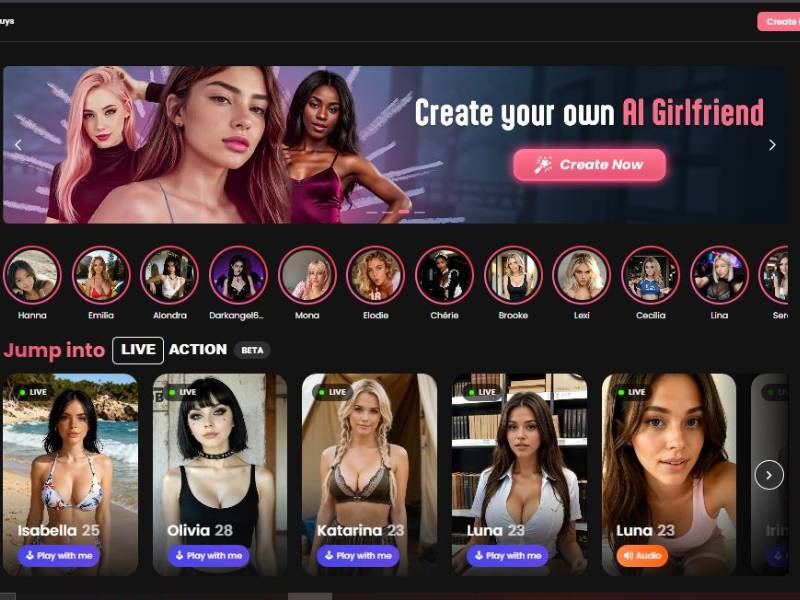
Candy AI is one of those tools that makes no pretense about what it is. It’s an AI companionship platform that is centered on conversation, fantasy and emotional connection.
Not productivity. Not spreadsheets. Not “optimize your workflow.” This is a conversation, roleplay, connection, flirtation and yes- (gasp!) adult content platform — without the awkwardness that would happen if you tried to talk into a wall.
In essence, Candy AI allows you to create and interact with AI characters that feel less like bots and more like individuals.
Some are sweet. Some are spicy. Some you feel like would roast you for ordering pineapple on pizza. The point is choice.
And honestly? It absolutely knows what it is doing.
How to use Candy AI: Step-by-step guide
STEP 1: Choose the Base Style (Realistic or Anime)

What you see
The first screen is titled “Create my AI Girl” and presents two large visual cards:
- Realistic
- Anime
There’s also a toggle at the top to switch between Girls and Trans, which determines the character category before you continue.
What this step controls
This choice defines:
- The art style of your AI girlfriend
- How she will appear in images
- The overall aesthetic for future generations and interactions
Once selected, this style carries through the entire experience. You can’t mix realistic faces with anime proportions later.
How to proceed
Click one style → click Next.
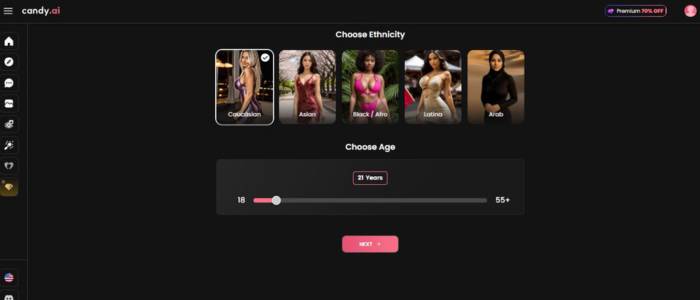
STEP 2: Set Age and Ethnicity
What you see
This screen focuses on identity basics and has two sections:
Choose Ethnicity
Visual cards such as:
- Caucasian
- Asian
- Black / Afro
- Latina
- Arab
Each option is represented by a sample image to help you visualize the result.
Choose Age
- A horizontal slider ranging from 18 to 55+
- The selected age is displayed clearly above the slider (example shown: 21 years)
What this step controls
- Facial structure tendencies
- Maturity cues in generated images
- Age-appropriate behavior patterns later in chat
The system does not allow ages under 18. The slider enforces that boundary.
How to proceed
Select ethnicity → adjust age slider → click Next.
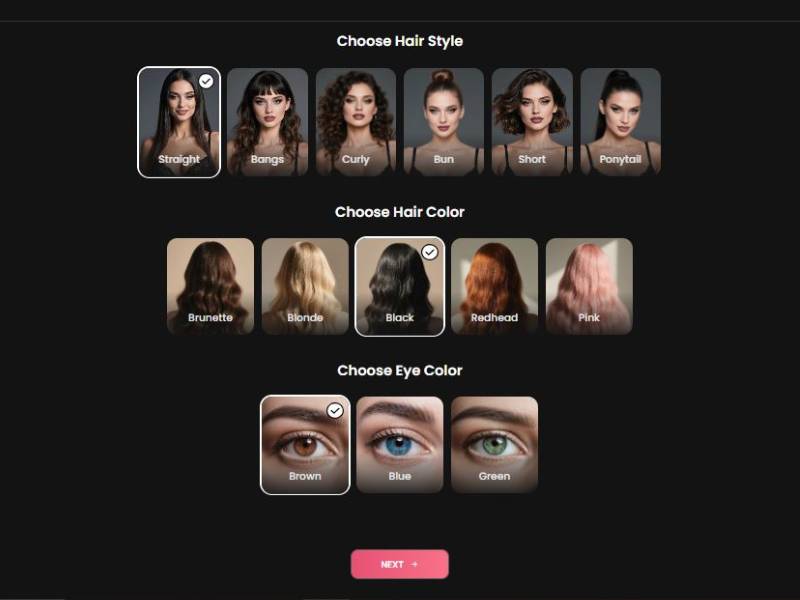
STEP 3: Choose Hair Style, Hair Color & Eye Color
What you see
This screen is divided into three clear sections:
Choose Hair Style
Options include:
- Straight
- Bangs
- Curly
- Bun
- Short
- Ponytail
Each style is shown on the same model face for consistency.
Choose Hair Color
Options:
- Brunette
- Blonde
- Black
- Redhead
- Pink
Choose Eye Color
Options:
- Brown
- Blue
- Green
What this step controls
- Facial identity consistency
- How expressive the character looks in images
- Subtle emotional tone in portraits
Hair and eye choices heavily influence how “recognizable” your AI girlfriend feels across multiple images.
How to proceed
Make all three selections → click Next.
STEP 4: Customize Body Type & Chest Size
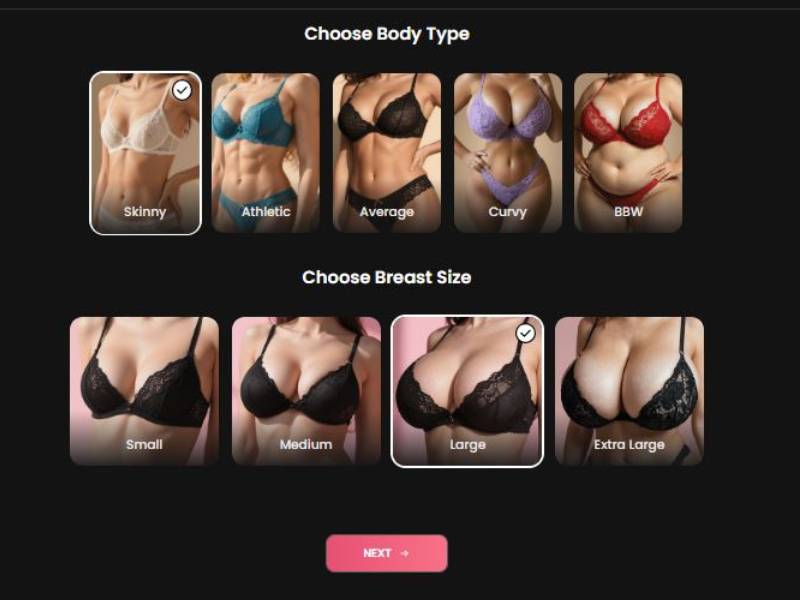
What you see
Two stacked selection rows:
Choose Body Type
Options displayed visually:
- Skinny
- Athletic
- Average
- Curvy
- BBW
One option is highlighted with a checkmark when selected.
Choose Chest Size
Options:
- Small
- Medium
- Large
- Extra Large
Again, visual previews help guide your choice.
What this step controls
- Full body proportions
- Clothing fit in generated images
- Pose and silhouette accuracy later
This step is purely visual. It doesn’t affect personality or behavior.
How to proceed
Choose body type → choose chest size → click Next.
STEP 5: Name, Personality & Relationship Setup
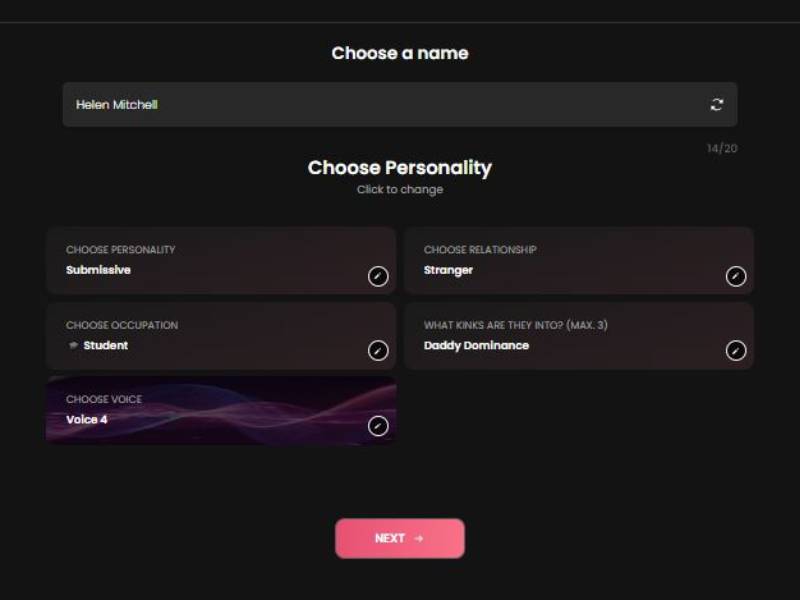
This is where the character stops being just an image and starts becoming a persona.
What you see
Choose a Name
- Editable text field
- Default name auto-filled (example: Helen Mitchell)
- Character counter visible (14/20)
Choose Personality
Example shown:
- Submissive
This determines tone, confidence level, and conversational style.
Choose Relationship
Example shown:
- Stranger
This affects how familiar or distant she acts at the start of conversations.
Choose Occupation
Example shown:
- Student
Used for roleplay context and dialogue flavor.
Choose Voice
Example:
- Voice 4
This applies if voice interaction or audio features are enabled.
What Kinks Are They Into (Max 3)
Example shown:
- Daddy Dominance
This setting influences conversational themes and boundaries (no explicit actions shown or required here).
How to proceed
Fill or adjust each field → click Next.
STEP 6: Final Character Overview & Activation
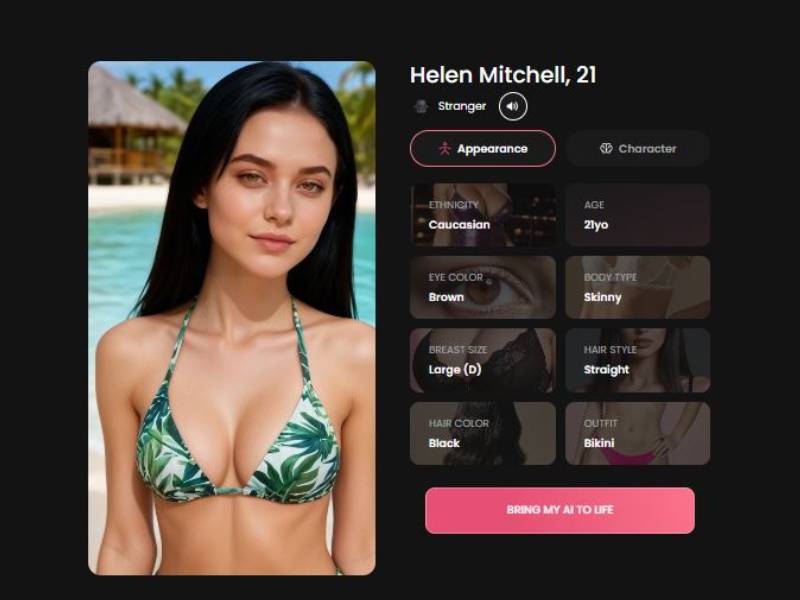
What you see
A final character summary screen with:
- Full-body preview image
- Name and age displayed clearly
- Two tabs:
- Appearance
- Character
Appearance Tab Shows:
- Ethnicity
- Age
- Eye color
- Body type
- Chest size
- Hair style
- Hair color
- Outfit (example: Bikini)
All attributes are listed as editable tiles.
Final Action Button
A prominent button labeled:
“BRING MY AI TO LIFE”
What this step does
This finalizes:
- Visual model
- Personality profile
- Interaction readiness
Once activated, the AI girlfriend becomes available for:
- Image generation
- Chat interaction
- Future customization
How Does It Work?
You begin by picking - or making! These factors include personality, tone, visual, and conversational approach. Once that’s established, the chat unfurls in real time. No rigid scripts. No “I’m sorry I can’t talk about that” every five seconds.
Candy AI is built on a series of large language models trained to hold long conversations, retain context, and adjust it based on the way you talk. If you’re playful, it reflects that. If you’re moody at 2 a.m., it weirdly gets that.
Here’s the side of it I wish more people would talk about:
The tool learns your rhythm. Sentence length. Sarcasm level. Even though your conversations heat up or cool off. That’s when it ceases to feel like a demo and starts feeling - well, that.
Core Functionalities
| Functionality | What It Actually Does | Why It Matters |
| AI Chat | Real-time, adaptive conversation | Feels natural instead of scripted |
| Character Creation | Customize personality, style, and tone | You’re not stuck with generic bots |
| Roleplay Mode | Long-form, evolving scenarios | Keeps conversations engaging |
| Memory & Context | Remembers past interactions | Builds continuity |
| NSFW Toggle | Adult content on/off | Control without judgment |
Key Features
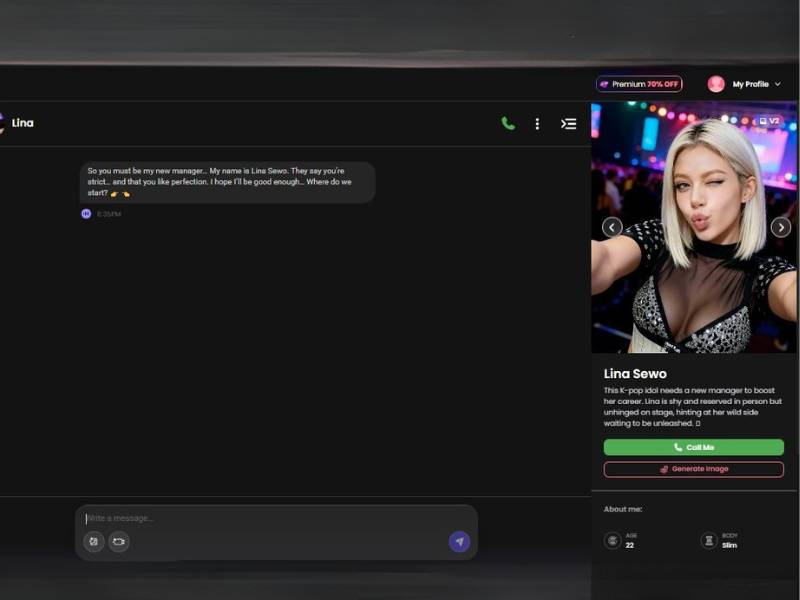
- Deep Character Customization
You’re not just picking a face and a name. You’re shaping how the AI thinks. Sarcastic? Shy? Bold? Emotionally supportive? Candy AI gives you the knobs and lets you turn them.
- Surprisingly Good Conversation Flow
This is where Candy AI flexes. Conversations don’t reset every five messages. It remembers details, references past chats, and reacts like someone who was actually listening. That alone puts it ahead of a lot of competitors.
- Roleplay That Doesn’t Collapse
Roleplay tools usually fall apart after ten messages. Candy AI keeps scenarios alive. Characters stay in character. No sudden personality amnesia. That’s rare.
- NSFW Without Being Cringe
Adult content is optional, but when enabled, it’s handled with nuance rather than awkward bluntness. It doesn’t feel like reading a badly written fanfic. More like a confident improv partner.
Pros and Cons
Pros
| Pros | Why It Works |
| Natural dialogue | Feels conversational, not mechanical |
| Emotional responsiveness | Adapts to mood and tone |
| Customization depth | You actually control the experience |
| Long memory | Conversations build over time |
| No constant censorship | Freedom without chaos |
Cons
| Cons | Why It Might Bug You |
| Paid features | Free tier is limited |
| Not productivity-focused | This isn’t a “useful” tool in the classic sense |
| Can feel addictive | Easy to lose time chatting |
| Occasional repetition | Still AI, not magic |
FAQs
Is Candy AI free?
There’s a free version, but let’s be real-it’s more of a preview. The real experience lives behind the paid plans.
Is it only for adult content?
No. That’s optional. You can keep things wholesome, emotional, or purely conversational if that’s your lane.
Does it remember past conversations?
Yes, and this is one of its strongest features. It won’t remember everything, but enough to make interactions feel continuous.
Is it private?
Chats are designed to be private, but like any AI platform, you should avoid sharing sensitive personal information. Common sense still applies.
Can I create multiple characters?
Absolutely. Different moods, different personalities, different vibes.
My Verdict
Candy AI isn’t here to be your therapist, personal assistant or home decorator – and that’s kind of the idea. It’s about connection, fantasy and talk – as much or more than it is about your genitals -and in that way it is better than most other tools out there.
Is it perfect? No. Sometimes it stumbles. Sometimes it repeats itself. Occasionally, you get a smell of “yes, this is still AI.” But there are fewer of those moments than I thought there would be.
It was most surprising how comfortable it felt. Not flashy. Not desperate to impress. Just… there. Responsive. Engaged. Oddly great company when you don’t want to have to explain yourself to a human.
If you’re curious, bored, lonely, creative or merely wish to experience AI companionship without the endless stipulations that every other bot thrusts upon you, Candy AI is worth your time. Just don’t open it when you’re supposed to be getting things done. That’s on you.
Would I recommend it?
Yes – if you know what you’re looking for and are honest about why you’re there.
And honestly? Candy AI knows why you’re there all right.